
Auto Harp for Hypixel SkyBlock
Skyward Utils' Auto Harp plays Melody's Harp for you: every note, every song, at the speed you choose. It's part of a free Fabric mod for Minecraft 26.1 – 26.3.

Auto Harp in action
Real capture from the mod. Each quartz flash is a note Auto Harp hit, the note-block counter at the bottom shows the running score, and the chat line at the end is the song summary.
How the Auto Harp mod plays Melody's Harp
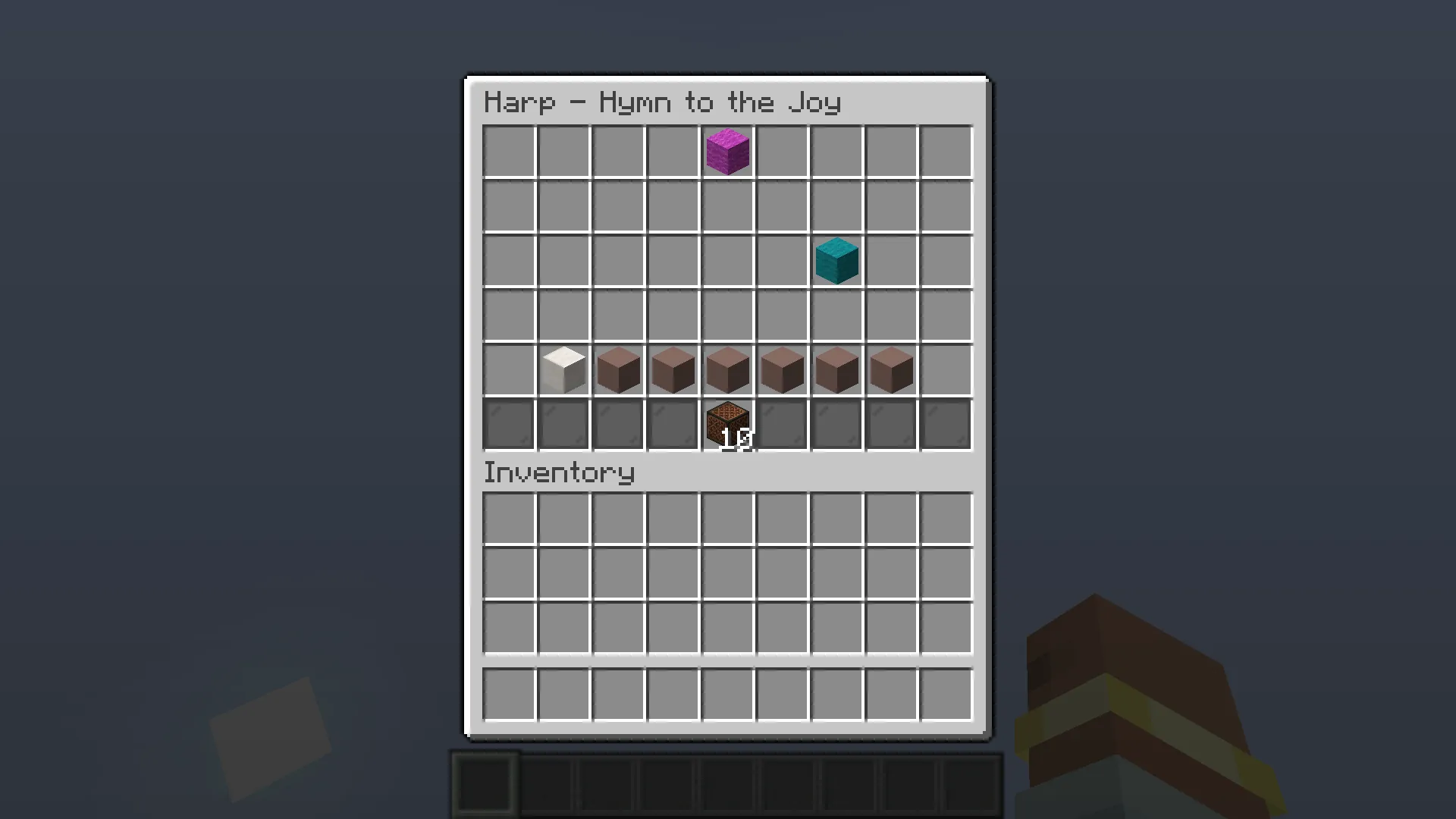
The Harp menu is a six-row chest. Coloured wool notes fall down seven columns. When a note reaches the hit line, you have a short moment to click the button underneath it. Shimmer notes need an extra quick click.
- Reads the server's slot updates, so it reacts to the actual notes instead of replaying a recording.
- Clicks the button below the note after a 50 ms sync buffer plus your delay, and handles shimmer notes too.
- Re-checks before every click that the Harp menu is still open, and drops pending clicks when it closes or you change worlds.
- Never double-clicks the same note update.
The note-to-button logic is unit-tested for every supported Minecraft version.
Auto Harp settings and commands
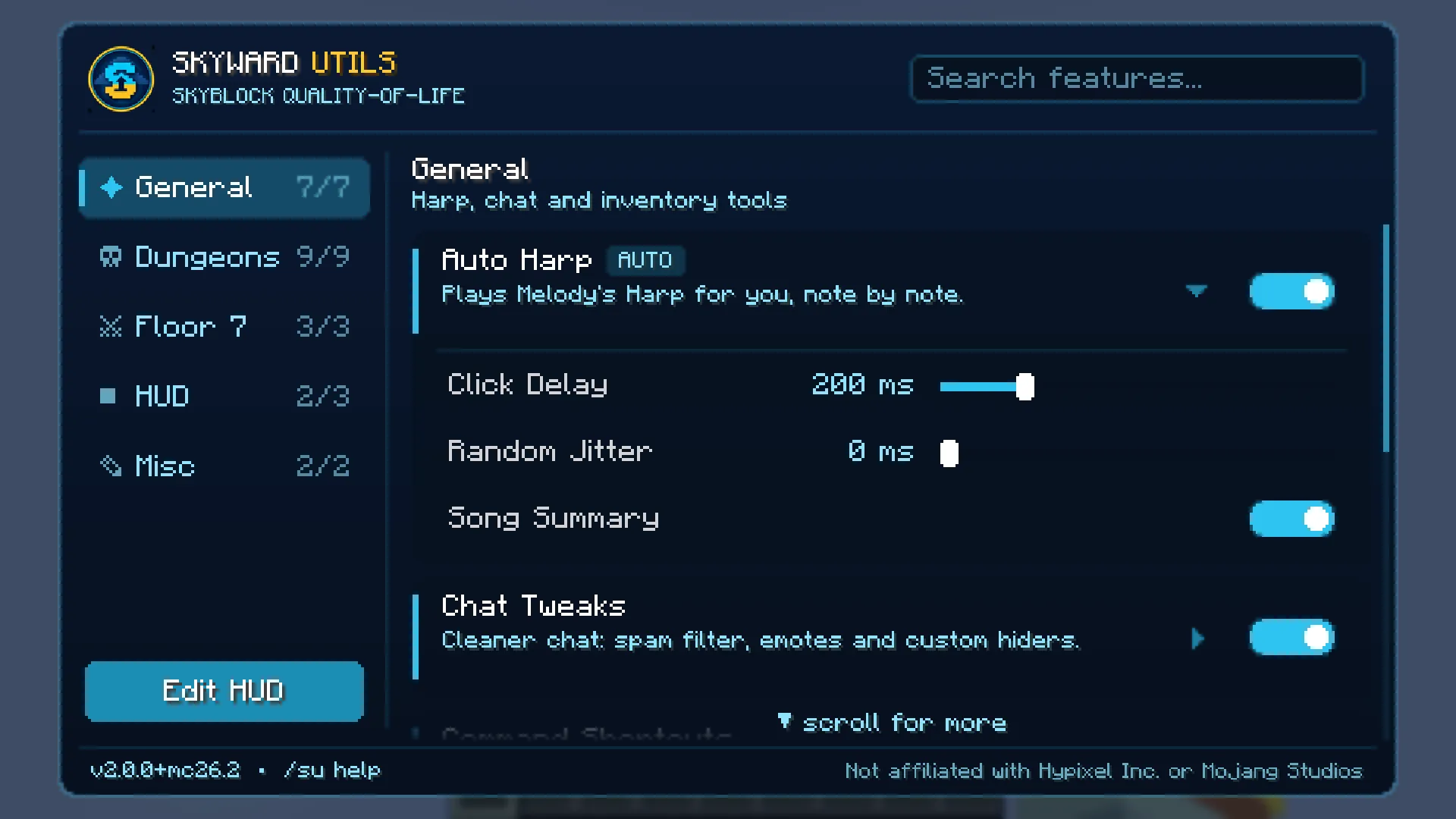
Open the menu with Right Shift or /su and click the Auto Harp card to show its settings.
| Setting | Default | What it does |
|---|---|---|
| Click Delay | 200 ms | Wait time before each note click (0 – 1000 ms). Lower is faster; raise it on lag. |
| Random Jitter | 0 ms | Adds 0 – N ms of random variation to every click. It makes timing less uniform; it does not make Auto Harp allowed or safe. |
| Song Summary | On | Prints how many notes were played when the Harp closes. |
/su delay <ms> | – | Sets the click delay from chat. /su delay shows the current value. |
Choosing the right click delay
The delay is the only setting most players ever change. Here is how to pick it:
| Situation | Try | Why |
|---|---|---|
| First time, any song | 200 ms (default) | Comfortable margin for most connections. |
| Fast expert songs | 100 – 150 ms | Notes arrive closer together, so react sooner. |
| High ping or lag spikes | 200 – 300 ms | Gives the menu time to sync before the click. |
| You want less uniform timing | Add 20 – 60 ms jitter | Varies each click a little. Not a safety feature. |
Change one value at a time and replay the same song, so you can tell whether it helped. The song summary in chat shows how many notes were played.
Melody's Harp songs and rewards
Melody's Harp stands next to Melody at Melody's Plateau in the Hub. Talk to Melody, choose a song, and click the notes in the Harp menu. Completing a song shows your percentage of correct clicks; perfecting a song (100%) lets you claim its rewards from Melody, including Intelligence.
Songs get harder as you go:
- Easy songs, for example Hymn to the Joy: slow notes, a good place to test your delay.
- Hard songs, for example Brahms' Lullaby: more notes in a row, less time per note.
- Expert songs: fast, dense patterns where a lower delay pays off.
Because Auto Harp reacts to the notes the server sends, you don't need a different setup per song. Melody also sells a Personal Harp for your private island if you want to play there.
Auto Harp vs playing by hand
| By hand | Skyward Utils Auto Harp | |
|---|---|---|
| Fast expert songs | Many retries for a perfect run | Clicks each note at your set delay |
| Shimmer notes | Easy to miss | Handled automatically |
| Lag spikes | Notes slip past | Tunable delay; drops clicks if the menu closes |
| Setup | None | Install Fabric + one jar |
Auto Harp not working? Check these
- Nothing happens in the Harp: open the menu (Right Shift) and make sure Auto Harp is switched on. It only acts in a chest menu whose title contains "Harp".
- Notes are missed on fast songs: lower the delay to 100 – 150 ms. If you see lag spikes, raise it instead.
- The mod doesn't load: you probably picked a jar for another Minecraft version. Fabric shows a message naming the right version; get that jar from the download page.
- "Auto Harp was turned off" in chat: the mod switches a feature off if it keeps hitting errors (for example after a game update). Re-enable it in the menu and check for a newer version.
- Settings reset: settings live in
config/skyward-utils.json. A corrupt file is backed up asskyward-utils.json.broken.
Get the Auto Harp mod in three steps
Install Fabric
Install Fabric Loader 0.19.3+ and put Fabric API in your mods folder.
Add Skyward Utils
Download the jar for your version from the Auto Harp mod download page and put it in
.minecraft/mods.Play a song
Open Melody's Harp in SkyBlock. Auto Harp is on by default; tune it with Right Shift → Auto Harp.
Auto Harp questions
What is Melody's Harp in Hypixel SkyBlock?
Melody's Harp is the harp next to Melody at Melody's Plateau in the Hub. You pick a song, then click the notes in the Harp menu; perfecting a song (100% correct clicks) unlocks rewards from Melody, including Intelligence. Later songs are much faster.
How does the Skyward Utils Auto Harp work?
When a note (wool) reaches the hit line in the Harp menu, Auto Harp clicks the button directly below it after a short sync buffer plus your chosen delay. It re-checks that the Harp is still open before every click and stops when you close it or change worlds.
Which Harp songs does Auto Harp support?
Auto Harp reacts to the notes the server sends rather than to a stored song, so the same settings work for every song Melody offers, from the easy songs to the expert ones, and for songs added later.
What click delay should I use?
Start with the default of 200 ms. On fast expert songs try 100–150 ms; if notes slip past on a laggy connection, go back toward 200 ms. Change it in the menu or with /su delay <ms>.
Which Minecraft versions does Auto Harp work on?
Skyward Utils runs on Fabric for Minecraft 26.1, 26.1.1, 26.1.2, 26.2 and 26.3. Download the jar that matches your version from the download page.
Does Auto Harp work on Lunar Client and other launchers?
Skyward Utils is a Fabric mod, so it works in any launcher or client that can load Fabric mods: the official launcher with Fabric Loader, Prism Launcher, the Modrinth App, CurseForge, MultiMC and more. Drop the jar into that client's mods folder together with Fabric API.
Is Auto Harp free?
Yes. Skyward Utils is free and released under the MIT license.